SubClosure

{ Don't Repeat Yourself ! }

Browsing Posts in joomla

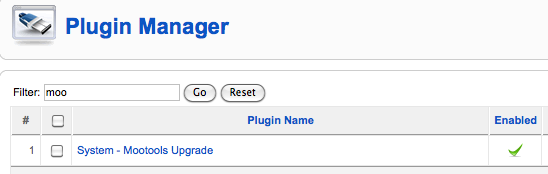
Since Joomla 1.5.19 mootools 1.2 is included but no enabled by default.
To include and use mootools 1.2 instead of 1.1 with this code:  JHTML::_(‘behavior.mootools’) ,
mootools need to be enabled in the plugin manager first.

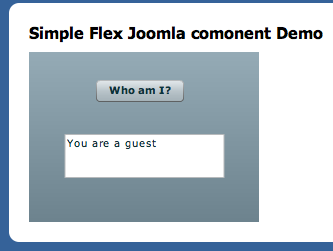
I created a simple Joomla! component. It’s purpose is to demonstrate how a Flex Application can be integrated into a component. The Flex Application is communicating with its Joomla! backend through AMFPHP. AMFPHP1.9 is included in this example setup.

You can download and install this component via the Joomla Administration Interface and link a menu item to it, to see it in action.

You can also download the source code for the simple Flex Application to see how it connects to the gateway.

download joomla component

download flex example source code


Here is a screenshot of the installed component:

Quite often Joomla views need information from more then one model. It is a bit unclear from the joomla documentation how to achieve this.

In a Joomla View Class, a call to:
$defaultModel = $this->getModel()
retrieves the associated default model instance. Joomla expects the model to have the same name as the view.

To retrieve another model instance it is possible to pass a model name as parameter:
$otherModel = $this->getModel('myothermodel')

But without additional instructions this will lead to an error because the view does not yet know about “myothermodel”. Before the above code will return a valid model, the view needs first to be informed about this model.

The only logical place to do this is in the controller class. Before instructing the controller to display the view in question, add the following lines:

$view = $this->getView('myview', 'html') ;
$view->setModel( $this->getModel( 'myothermodel' )) ;

replace “myview” and “myothermodel” with the appropriate names and now the view
should be able to retrieve a valid instance of “myothermodel”

one important thing to note:
I could only get it to work when the actual model filename is all lowercase.
E.g. MyModel.php could not be recognized by Joomla’s getModel method on my Linux system.
Only after changing the filename to mymodel.php is would work.

Here is an example  of how to access joomla session data from another php script.
This is particular useful for implementing an AMF gateway or other ajax functionality.

To access the Joomla! session variables from another script, the easiest way is to instantiate the joomla application in that script. Please note that this will only work if that script is not already using its own session.

Example Code:


define( '_JEXEC', 1 );
define( 'DS', DIRECTORY_SEPARATOR );
define('JPATH_BASE', dirname(__FILE__) );

require_once ( JPATH_BASE .DS.'includes'.DS.'defines.php' );
require_once ( JPATH_BASE .DS.'includes'.DS.'framework.php' );

$mainframe =& JFactory::getApplication('site');
$mainframe->initialise();

$session =& JFactory::getSession();
$user = $session->get( 'user' );

In this example I’m assuming the script is located in the main joomla directory.
If the script sits in some subdirectory you’ll have to adjust the JPATH_BASE definition.

This little Flex Application lets you create or reset a new Joomla 1.5 password that you can save directly into your joomla database. Joomla passwords are by default encrypted with md5 + salt.

To use this application you just need to type in the desired password and click “make password”
You can then directly save the generated password string into the appropriate row of the jos_users table in your joomla database.

Get Adobe Flash playerPlugin by wpburn.com wordpress themes