SubClosure

{ Don't Repeat Yourself ! }

This is very easy to do.
Assuming the database on the remote server runs on the standard mysql port 3306, the following command will establish the tunnel.

ssh username@remoteserver -L2000:localhost:3306

If successfully logged in through ssh, you can then connect your mysql client to port 2000 on your local machine and
will be able to use the remote database just as if it was running on your local computer. The good thing – all traffic will be encrypted by ssh.

obviously the L2000 means the port to be used on your local machine and 3306 is the port that will be used on the remote machine.

Note you can also add -f paramter to the ssh call:
ssh -f username@remoteserver -L2000:localhost:3306
if you want ssh to run in the background.

ever executed shell commands that process large amounts of text data?

for example mysql mydatabase < data.sql

with data.sql being a huge file.

this cool little tool called bar can display a nice ASCII progress bar for commands

Wow – thats funny

Super Baozi vs Sushi man from sun haipeng on Vimeo.

The Email Validator’s static method validateEmail requires 3 parameters according to the Flex 3.2 API Documentation:

Parameters

validator:EmailValidator — The EmailValidator instance.
value:Object — A field to validate.
baseField:String — Text representation of the subfield specified in the value parameter. For example, if the value parameter specifies value.email, the baseField value is “email”.

I’m wondering  why it is that I have to specify the actual String value of my textfield as value parameter and then also have to specify ”text” as baseField.
I would have thought as value I should specify mytextfield and as baseField “text” as it is done in all other places. I find that confusing.
But this method will only work when used like this for example:

var result:Array = EmailValidator.validateEmail( myemailvalidator , mytextfield.text , “text” ) ;

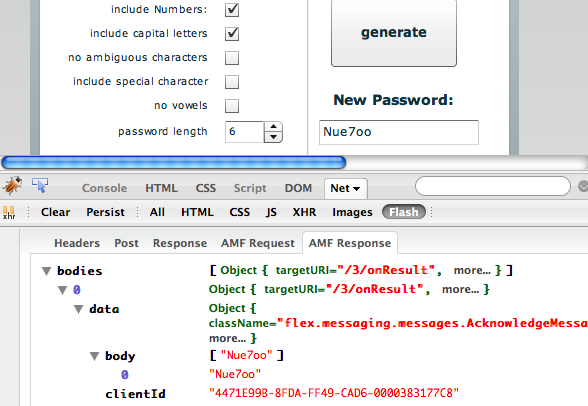
Ever had to choose a new secure password but couldn’t think of anything and ended up using the same old insecure password as always?

Well here is the solution. It comes in form of a little Unix/Linux programm, called pwgen. It automatically generates difficult passwords that are designed to be easily memorized by humans.

This Flex Application is a frontend for pwgen. You can use it to generate as many passwords as you like.

I took me a while to find a free paint programm for Mac OS that works
similar to paint for windows.  Had to google around for quite some time to find it.

Being new to Mac I’m no so used to the fact that everything Mac related starts with the letter “i”. Otherwise I would have found this little program much quicker.

Here it is:  iPaint – http://ipaint.sourceforge.net/

this is what iPaint looks like in action:

this is what iPaint looks like on my Mac

It seems to  work pretty good

I have been trying to add new line breaks to text only emails with \n\n.
I discovered that it will only work when using double quotes (“) for the body string.
When using single quotes (‘)  \n\n will show in emails as such.
This is because PHP interprets single and double quotes in a different manner.

As stated in the PHP String Manual:

“Unlike the double-quoted  and heredoc syntaxes, variables and escape sequences for special characters will NOT be expanded when they occur in single quoted strings.”

This little Flex Application lets you create or reset a new Joomla 1.5 password that you can save directly into your joomla database. Joomla passwords are by default encrypted with md5 + salt.

To use this application you just need to type in the desired password and click “make password”
You can then directly save the generated password string into the appropriate row of the jos_users table in your joomla database.

When working with databases one always need to keep track of  changes in the database structure.
If an older database needs to be updated to the latest version quite possible a lot of ALTER statements need to be created to make the old database look like the new one. Doing this manually often leads to issues, particularly if lots of changes were made.

A really cool and free tool to design and synchronize databases is Power Architect

It’s open source and java based. It can connect to multiple source databases concurrently and compare data models & database structures to identify discrepancies.

Just noticed that some of my image assets where missing in the release build folder after using the Flex Builder 3 “export release build” function.

Cause: Flex only copies those assets that are not embedded into the release folder

Problem: If the same asset is embedded in one place and just referenced by URL in another, the file is missing.

Solution: if embedding assets – embed them globally and make sure to only use the embedded assets in all components.

Get Adobe Flash playerPlugin by wpburn.com wordpress themes